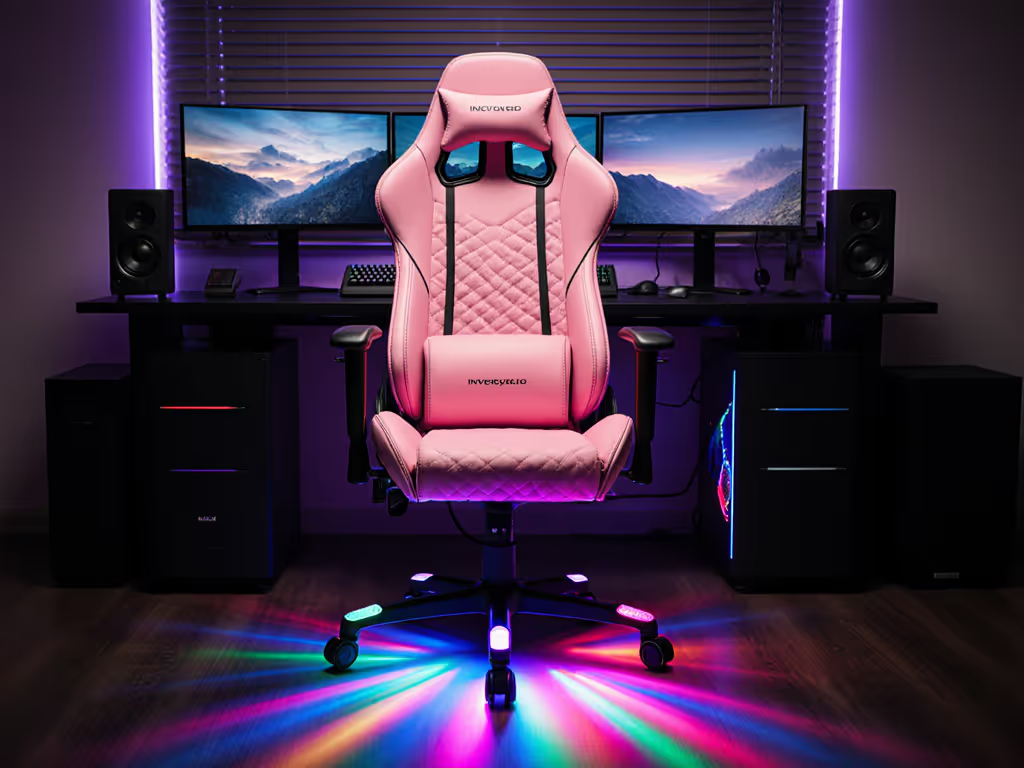
PC Desk or Console Floor: Best Gaming Chair Choice
By Linh Vo • 12th Oct
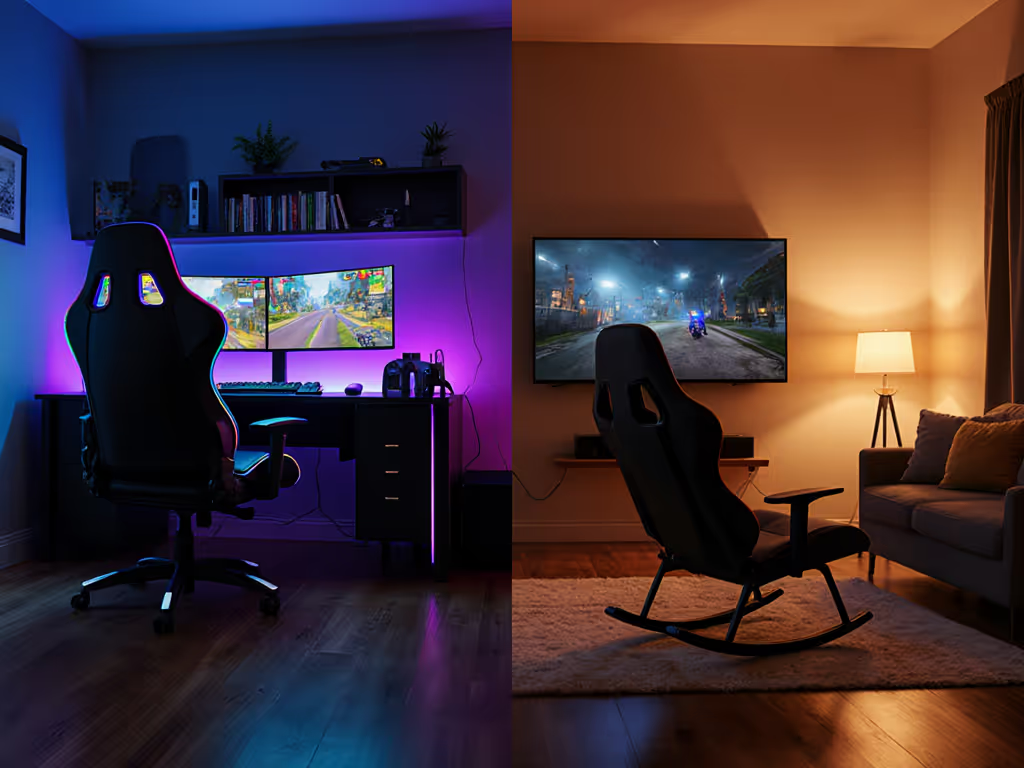
Your gaming setup isn't complete without the right throne, but the choice between PC desk chairs and console floor models isn't just about aesthetics. It's a spatial calculation where your room dimensions, playstyle, and posture needs intersect. For console gaming chair seekers prioritizing living room immersion or space-challenged setups, floor rockers often deliver. Meanwhile, gaming PC chair users need precision alignment with desks and peripherals. Let's dissect this ergonomic puzzle.
Design & Spatial Footprints
- Console chairs like rockers or pedestals sit low to the floor, eliminating casters but requiring clear recline envelopes (typically 24"-35" depth). Their bulkier bases demand open floor space but bypass desk clearance issues.
- PC desk chairs operate on a 360° caster radius (~32" diameter) and need 10"+ under-desk clearance. Five-star bases average 27" wide (problematic for narrow rooms where doors swing near desks).
Lin's Fix: A client's door clipped their chair daily. Swapping 75mm casters for 50mm glides and a compact base gained 3cm clearance.
| Platform | Base Type | Min. Clearance | Storage Impact |
|---|---|---|---|
| PC Desk | Casters | 32" rotation | Fixed position |
| Console Floor | Solid/Rocker | 24"x34" footprint | Foldable options |
Comfort & Posture Engineering
| Feature | PC Desk Chair | Console Floor Chair |
|---|---|---|
| Posture Focus | Upright 90° alignment | Relaxed recline |
| Lumbar Support | Adjustable depth/height | Fixed or padded pillow |
| Session Durability | Mesh/hybrid fabrics | PU leather (heat retention risk) |
| Neck/Head Alignment | Height-adjustable | Static headrest |
PC chairs dominate for optimal gaming posture during keyboard/mouse use. Their synchronized tilt mechanics support forward-leaning positions crucial for competitive play. Console models shine in RPGs or racing games where 150°+ recline enhances immersion but sacrifices spinal neutrality.
Adjustability & Body Matching
- Armrests: PC chairs offer 4D articulation (height/pivot/depth/width) for peripheral alignment. Console armrests are typically fixed, problematic for guitar/rhythm games.
- Seat Depth: Critical for petite users (<5'5"). Look for 16"-18.5" PC seats with slide mechanisms vs. console's one-size-fits-all 20"+ depths.
- Weight Distribution: Heavier users (>250lb) prioritize reinforced frames like the Razer Enki's steel base over floor chairs' particleboard cores.
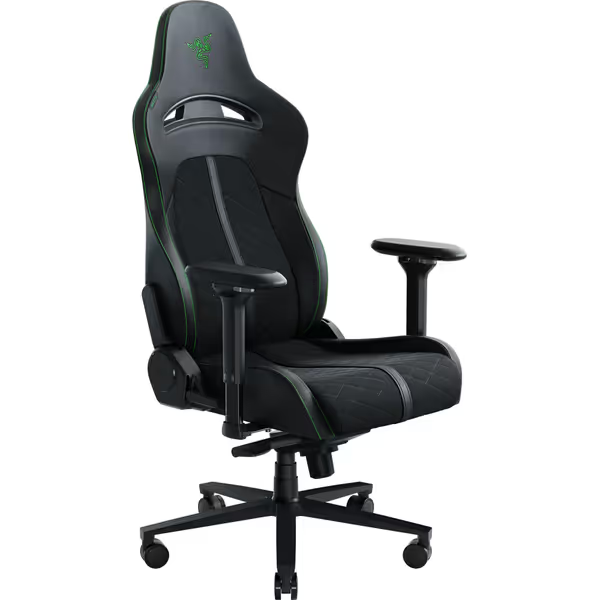
Razer Enki Gaming Chair
All-day comfort with built-in lumbar support for pain-free gaming marathons.
$449.99
Recline152 Degrees
Recline152 Degrees
Pros
Integrated lumbar arch reduces back pain.
Dual-textured leather enhances comfort & durability.
Cons
Fixed shoulder arches may limit fit for some.
Customers find this gaming chair comfortable, with one mentioning they could sit in it for hours without pain. The chair provides decent lumbar support and helps with back issues, while being easy to assemble with clear instructions.
Customers find this gaming chair comfortable, with one mentioning they could sit in it for hours without pain. The chair provides decent lumbar support and helps with back issues, while being easy to assemble with clear instructions.
Storage & Compatibility
Console chairs win here. Folding designs like the X Rocker collapse to 10" depth, while integrated pockets store controllers/headphones. PC chairs lack storage and tuck under desks only with:
- Retractable armrests
- Sub-19" seat heights
- Cylinders supporting 28"-30" desk heights
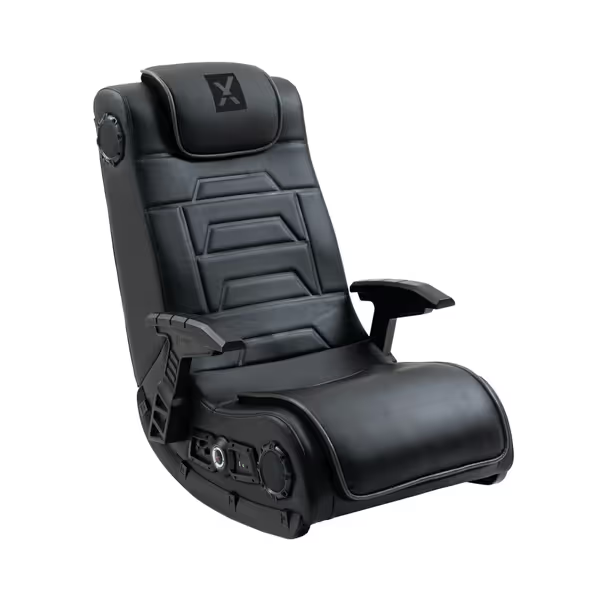
X Rocker Video Gaming Floor Rocker Chair
Immersive sound, haptic feedback, and comfort for intense gaming sessions.
$306.81
Audio System4 speakers + 4" backrest subwoofer
Audio System4 speakers + 4" backrest subwoofer
Pros
Immersive audio with haptic feedback.
Multi-platform wireless compatibility.
Cons
Durability concerns with vinyl and joints.
Customers find the gaming chair excellent in quality, with amazing built-in speakers and easy assembly. The comfort, sound quality, and vibration features receive positive feedback, with one customer noting it provides a lower back massage. However, durability is a concern as the vinyl on the seat splits and the chair breaks at joints. Moreover, functionality and value for money show mixed results - while some say it works great and is worth the price, others find it completely useless and not worth the cost.
Customers find the gaming chair excellent in quality, with amazing built-in speakers and easy assembly. The comfort, sound quality, and vibration features receive positive feedback, with one customer noting it provides a lower back massage. However, durability is a concern as the vinyl on the seat splits and the chair breaks at joints. Moreover, functionality and value for money show mixed results - while some say it works great and is worth the price, others find it completely useless and not worth the cost.
The Verdict: Your Blueprint
- Measure your space: Map door swings, desk depth, and recline zones.
- Audit your playstyle: Forward-leaning FPS? Prioritize PC ergonomics. Controller-based lounging? Console chairs suffice.
- Match your body: Petite users need seat depth adjustability; broad shoulders require wide backrests.
For console setups, X Rocker's foldability and audio integration justify its footprint. PC gamers need the Razer Enki's lumbar precision and caster mobility. Measure twice, sit once. Your spine and living space will thank you.
Further Exploration: Use masking tape to outline chair footprints in your room. Test recline angles against nearby walls and desks before committing.
Related Articles