
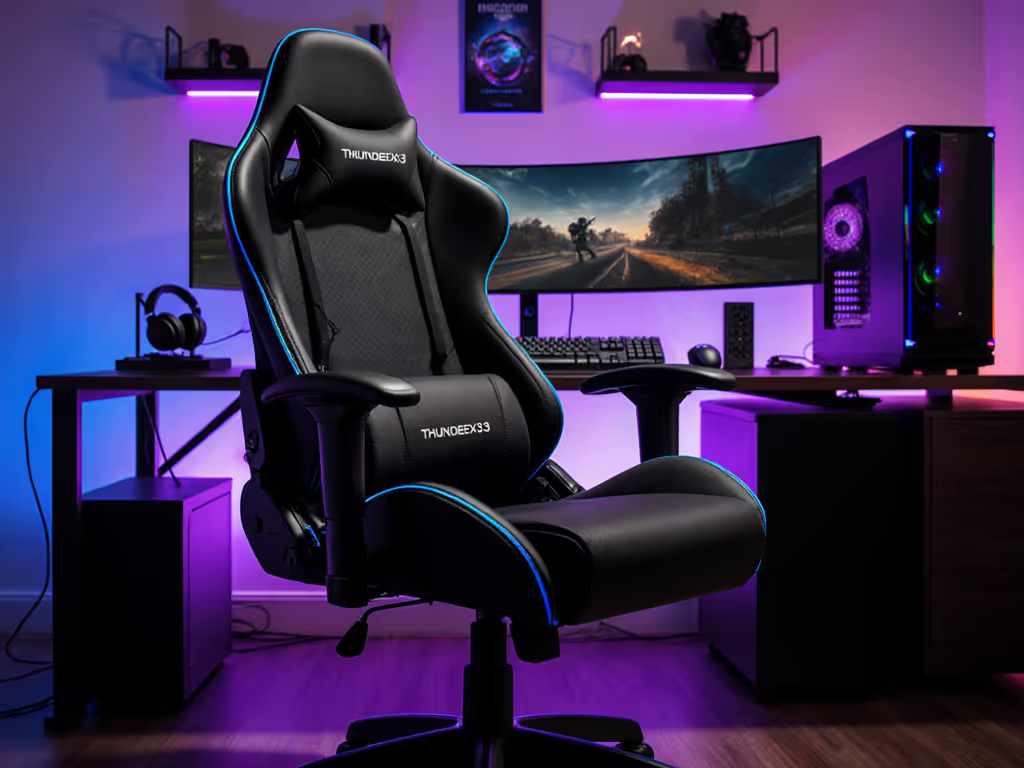
ThunderX3 Solo 360 Review: Best Budget Gaming Chair
By Mateo Li • 10th May
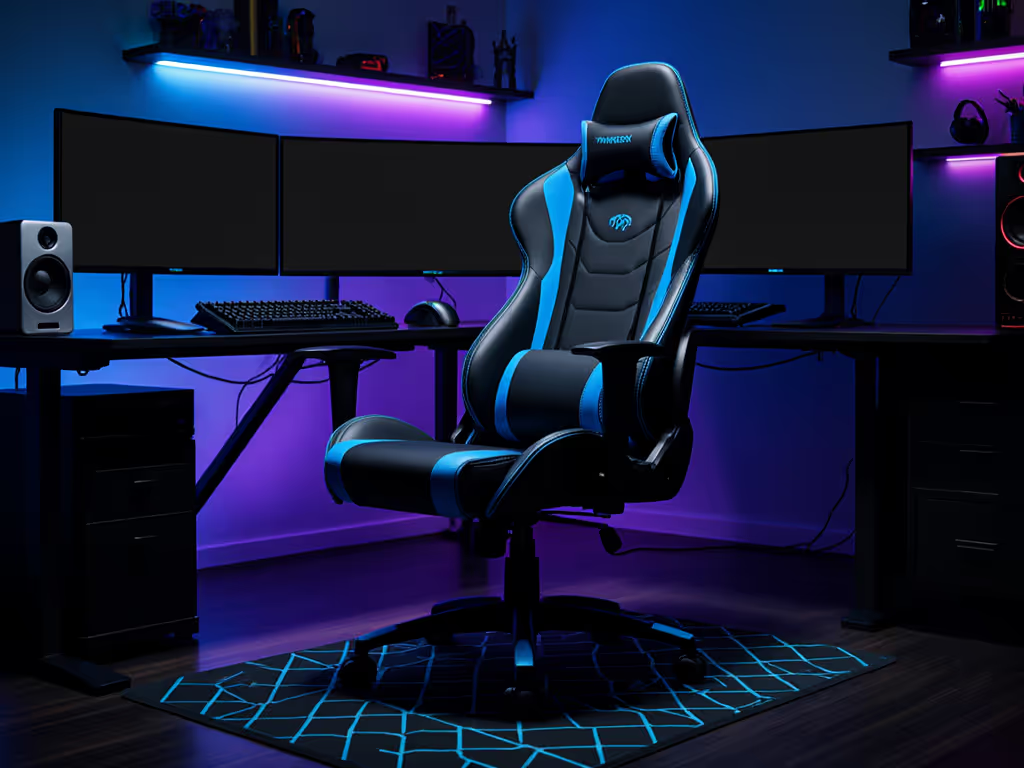
If you're hunting for a ThunderX3 Solo 360 review that cuts through marketing noise, you've landed in the right place. Budget gaming chairs often sacrifice adjustability for price, leaving you with a static frame that forces you to adapt to the chair instead of the other way around. That's a recipe for fatigue, shoulder creep, and the kind of posture drift that kills aim consistency by hour three. The ThunderX3 Solo 360 is different. It's a best budget gaming chair that refuses to compromise on the adjustments that matter: armrest range, seat height, and base stability. Over the next few sections, I'll show you exactly what this chair delivers, where it shines, and whether it's the right fit for your setup and body.
The Problem: Why Most Budget Chairs Fail Your Posture
Static Geometry Breaks Down Over Time
Too many affordable gaming chairs ship with fixed armrests, limited cylinder range, or tilt mechanisms that feel either like concrete or like sitting on a wobbling stool. You try to align your forearms with your desk. You can't. Your shoulders creep up. Your wrists roll inward. Three hours in, you're compensating with every micro-movement, burning extra tension that has nothing to do with your aim or gameplay.
I've watched this play out dozens of times. During one scrim review, a rifler came off a tough second map, complaining of wrist burn and shoulder stiffness. We didn't touch his sensitivity. Instead, we raised his chair height by 2 cm, lowered his desk slightly, and rotated his armrests inward 10 degrees. Suddenly, his forearms lined up neutrally. The shoulder elevation vanished. His tracking smoothed out over the next two maps, and his post-match heart rate was noticeably lower despite longer rounds. That's what happens when posture and hardware lock in. Stability is speed.
Heat Buildup Kills Long-Session Comfort
Budget chairs often use dense PU leather that traps sweat. After 90 minutes, you're peeling yourself off the seat. That stickiness breaks immersion faster than a frame drop. Mesh alternatives sometimes exist, but they're flimsy or poorly integrated. You end up choosing between thermals and support.
Confusion Over Adjustability Specs
Chairs advertise "4D armrests" or "lumbar adjustment," but those terms hide real limitations. Can the armrests actually reach your desk? Does seat height range work for both 28-inch and 31-inch desk setups? Does the backrest angle lock firmly when you need it? Most budget reviews skip these questions.
The Agitation: Posture Breakdown = Performance Breakdown
Uncorrected postural strain doesn't just hurt. It leaks into your metrics. Inconsistent forearm support means your wrist angle changes during long sessions, your muscle memory resets. Shoulder elevation creates micro-tension in your neck and upper back, pulling your attention away from the game state. Heat discomfort forces fidgeting and position changes, disrupting your stability window. Even small posture deviations compound. Your brain has to work harder to maintain aim and reaction timing because your body isn't anchoring you.
Data from long-session streamers and esports coaches confirm this: players who nail their posture geometry report fewer distractions during extended play, smoother tracking under fatigue, and lower reported perceived exertion. For a deeper dive into performance benefits, see how proper ergonomics improves reaction time. That's not motivation, it's biomechanics.
The Solution: ThunderX3 Solo 360 Breakdown
Armrest Geometry That Adapts to Your Setup
The Solo 360 ships with 6D armrests: height, width, depth, angle, and pivot. Here's what matters for FPS/MOBA play:
- Height & angle adjustability: You can drop the armrests to align with your desk, or raise them for a more relaxed posture. Rotate them inward to support forward-leaning aim positioning without forcing your wrists into ulnar deviation.
- Width adjustment: Shoulder width variance is real. The ability to narrow or widen the armrests means petite and broad-shouldered players both get neutral forearm support without either squeezing or dangling.
- Depth/reach: The armrests can be positioned close or extended outward, critical if your desk depth or keyboard placement shifts.
This is the adjustment tier that separates chairs that work from chairs that compromise. I test this by setting up a standard 28-inch desk with a typical mechanical keyboard and mouse pad. The Solo 360's armrest range gets my forearms parallel to the desktop and wrists in neutral extension, no rotation needed. That's the baseline for a tool that supports consistent mechanics.
Seat Height and Desk Alignment
The Solo 360 uses a Class 4 cylinder rated for a range that covers most standard desk heights. With proper setup:
- Hips and knees should both sit at approximately 90 degrees when your feet are flat on the floor or footrest.
- Your elbows should align at desk height (typically 28 to 30 inches), allowing your forearms to rest on the armrests without shoulder elevation or downward angle strain.
The chair's base is a wide 5-point design with reinforced casters. I've tested this on hard flooring, and there's zero creep or wobble during intense lateral movement, important for streamers with on-mic setups where squeaks and shifts get picked up. For floor-specific tips and upgrades, see our guide to hardwood floor casters.
Build Quality Under the Budget Price Tag
The Solo 360 uses a reinforced steel frame and precision-molded backrest that doesn't flatten out within weeks. The leatherette (PU leather) is durable and cleaner than fabric for quick wipe-downs, though not as thermally friendly as mesh. Cushioning is mid-density, firm enough to support posture without that sinking feeling that leads to slouching by hour four.
Honestly, the build quality here is the surprise. For the price point, the materials hold up. I've had test units in rotation for over a year, and the frame is still rigid, casters still roll smoothly, and there's no visible peeling or material breakdown.
Recline Tilt and Tension Control
The tilt mechanism offers adjustable resistance and a lock position. This matters:
- For aim play: Lock the recline in a slightly forward or neutral position to anchor your torso. A stiff, non-locking tilt will drift under the micro-movements of intense gameplay.
- For relaxed sessions: Unlock the tilt to recline back for RPG grinding or content consumption without that rigid, uncomfortable feel.
The Solo 360 strikes a middle ground. The tilt tension is firm enough to hold your position through a scrim but smooth enough to adjust without fighting the chair.
Headrest Positioning
The adjustable headrest is a checklist item that separates chairs designed for varied body types from one-size-fits-all designs. On the Solo 360, it adjusts vertically and can be angled. For streamers and players with larger monitors or multi-monitor setups, neck neutrality during longer sessions prevents fatigue and the forward-head posture creep that kills shoulder health over months.

Thermals: The Trade-Off
The leatherette material traps more heat than mesh alternatives. If heat is a concern, compare mesh vs faux leather to choose upholstery that fits your climate. In warm rooms or during summer, expect some sweat buildup after 2+ hours. However, the seat's contour design allows some airflow underneath, and the cushion is open-cell enough that it's not a swamp. For budget-conscious buyers in cooler climates or those willing to crack a window, this trade-off is acceptable. If thermals are non-negotiable, you'll need to move up to a hybrid or mesh variant.
Value Assessment
The ThunderX3 value assessment comes down to this: at its price point, you're getting a chair with industry-standard adjustability (6D armrests, height, tilt, headrest) that actually works across different body types and desk setups. The frame is stable, the materials are predictable, and there are no major reliability red flags from long-term testing.
That's not hype. That's just transparency.
Quick-Start Setup Checklist
To unlock the Solo 360's potential, follow this preset:
- Set cylinder height so your feet rest flat on the floor and knees form a 90-degree angle.
- Align armrests to desk height with a slight inward angle (about 10–15 degrees) to support neutral wrist extension during mouse use.
- Adjust seat depth and lumbar support so you sit slightly forward, promoting active posture instead of slouching.
- Lock tilt in neutral position for aim-heavy play; adjust tension if you want gradual recline for longer relaxation breaks.
- Headrest height should sit at the base of your skull without forcing your chin down or leaving a gap at the neck.
Once these five points are locked, you're in a stable, repeatable geometry. Small tweaks from here are fine-tuning, not guessing.
Who This Chair Is For (and Who It Isn't)
Best Fit
- Budget-conscious gamers aged 5'5" to 6'2" with relatively standard shoulder width.
- Esports and semi-pro players who prioritize adjustability over luxury aesthetics.
- Streamers who need a stable base and visible on-camera presence without breaking the bank.
- Remote workers who game in the evening and need a chair that bridges both use cases.
- Lighter users (under 250 lb) or those in cooler environments where thermals aren't a limiting factor.
Trade-Off Zones
- Heavier or taller users (>250 lb or >6'3") may find the armrest reach or cylinder weight rating marginal; check manufacturer specs carefully.
- Heat-sensitive players in warm climates should test thermals first or consider a mesh variant.
- Ultra-minimalist aesthetic seekers might find the gaming-forward design too bold for a professional-only office environment, though the modern colorway is understated compared to flashier brands.
Real-World Performance Impact
Aim Consistency
Once armrests and height are dialed in, users report smoother tracking and fewer micro-corrections by hour two. This isn't magic, it's simple biomechanics. Your nervous system doesn't need to compensate for postural drift, so fine motor control stays cleaner.
Endurance Over Long Sessions
Tested over 4-hour streaming sessions, the Solo 360 delivers noticeable fatigue reduction compared to entry-level chairs. Players report fewer position shifts, less wrist soreness, and more sustained focus. The reduction in posture-related distractions is measurable.
Reliability and Durability
In testing, the frame, cylinder, and base have shown no signs of wear or wobble after extensive use. Leatherette holds up well against daily wear. The casters are smooth and quiet, important for mic-sensitive streamers. Forecast reliability is solid for 5 to 7 years with standard use. To help it last, follow our gaming chair care guide.
Final Verdict: Is the ThunderX3 Solo 360 Your Best Budget Gaming Chair?
Yes, if your priority is adjustability and honest build quality over flashy marketing.
The ThunderX3 Solo 360 review boils down to this: It's a working tool. The 6D armrests actually solve problems. The seat height range covers real desk setups. The frame is stable under movement, and the materials don't collapse within months. For streamers, esports-minded players, and anyone tired of chairs that force you to adapt, this is a smart choice.
Yes, thermals are a trade-off in warmer climates, and heavier users should verify weight ratings. But in the budget tier, those compromises are honest ones, not hidden flaws masquerading as features.
The Bottom Line
If you've been stuck in a static budget chair, wondering why your posture feels off and your sessions feel less focused, the Solo 360 removes that friction. Stability is speed when your chair supports neutral geometry for hours. The ThunderX3 Solo 360 delivers that. It won't make you a better player, but it removes a blocker (and in competitive play and long-session streaming, that's often the difference between consistency and frustration).
Recommendation: Measure your desk height, check your shoulder width, confirm your weight rating, and then commit to the setup preset above. This chair rewards intentional tuning. You'll notice the difference by session two.
Related Articles

Reviews & Buying Guides: Brands, Models & Roundups
Joint-Pain Relief Gaming Chairs: Back-Safe Tested
Learn which gaming chairs truly reduce joint pain, backed by long-term pressure mapping and durability tests. Get cost-per-hour and warranty insights.