Gaming Chairs for Kids: Adjustable for Growth Spurts
By Linh Vo • 30th Nov
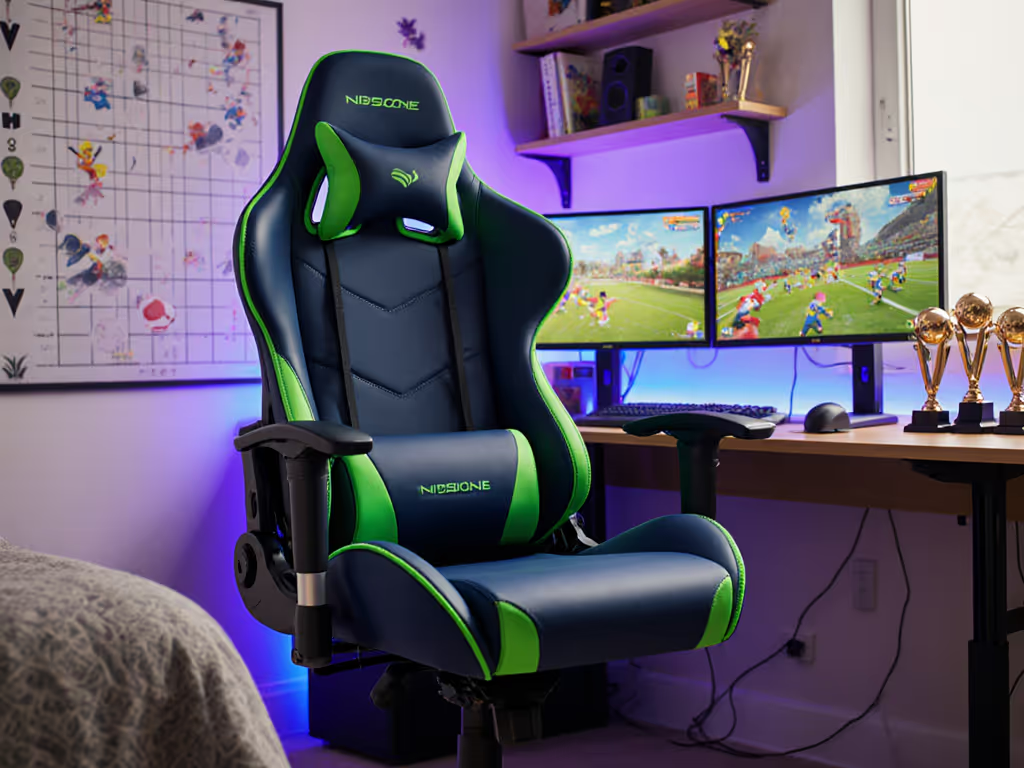
When selecting a gaming chair for your child, the critical question isn't just "will it fit their body?" but "will it fit their room, desk, and growth trajectory?" A gaming chair that ignores spatial constraints becomes a liability the moment your child reclines or a door swings. You need an adjustable gaming chair for growth that considers clearance envelopes as seriously as lumbar support, because a good gaming chair must live harmoniously with your space, not fight against it. Measure the room; then let the chair earn its space. If you're working with a compact bedroom, see our small-space gaming chair guide for exact-fit options and measurements.
Your Space Questions Answered (FAQ Deep Dive)
Why can't my child just use an adult gaming chair?
Adult chairs create three critical spatial conflicts for children. First, the seat height range (typically 16-21") often positions a child's feet dangling, cutting off circulation (measure from floor to knee crease when seated to determine the required height range). Second, the recline envelope on standard chairs (135-155°) requires 42-48" of clear space behind the desk, which most kids' rooms lack. Third, the five-star base diameter (27-30") frequently exceeds the clearance under standard desks (24-26" height), causing base-to-desk collisions during rotation. To understand how base materials influence stability and lifespan as your child grows, see our metal vs plastic base comparison.
Rather than forcing spatial compromises, match chair dimensions to your child's anthropometrics and room constraints. A proper ergonomic chair for gamers under 150 lbs needs a minimum 22" base diameter, 12-16" seat height range, and recline clearance of just 36" (achieved through compact bases and reduced recline angles).
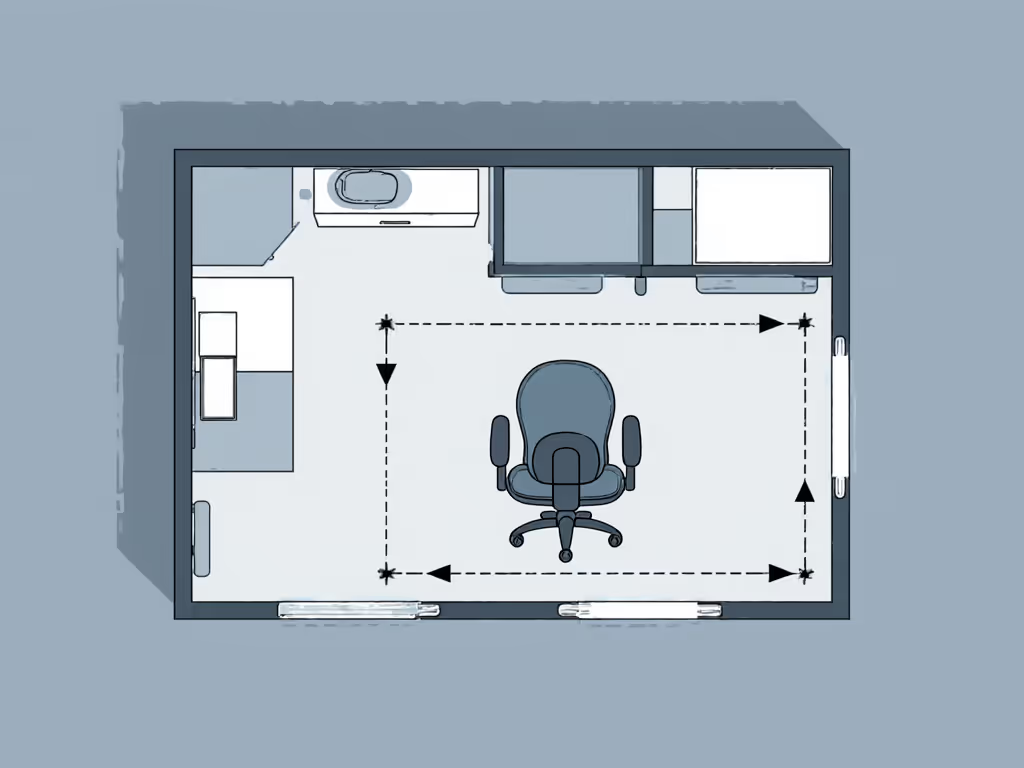
What adjustability features actually matter for growth spurts?
Focus on these four dimensionally critical adjustments:
- Seat height range: Minimum 4" travel (e.g., 12-16") to accommodate 6-12 month growth spurts. Verify the cylinder extends fully while maintaining 3-4" clearance between seat edge and desk underside.
- Seat depth: Look for 1-2" incremental adjustments via sliding mechanism. The front edge should sit 1-2" behind the knee crease when seated.
- Armrest height: Must lower to 6-7" above seat for smaller children while rising to 9-10" for teens. Test with your child's current desk height.
- Recline range: Cap at 115-125° for tighter rooms, this reduces the required clearance zone by 8-12" versus standard 135-155° chairs.
Avoid chairs that only adjust lumbar or headrest height, these solve comfort issues but not spatial constraints. Every adjustment must serve dual purposes: adapting to the child's growth while maintaining room compatibility.
How do I calculate future-proof clearance requirements?
Implement this calculation framework before shopping:
- Map your room: Sketch your child's gaming area at 1:10 scale, marking all obstacles within 48" of the planned chair position
- Trace the recline envelope: With your child seated at current height, have them recline fully while you trace the arc their head and shoulders will occupy
- Add 3" safety margin: Account for rug pile compression and castor compression under weight
- Verify daylight: Ensure 2" minimum clearance between the reclined arc and all obstacles
Measure twice, sit once, this simple discipline prevents daily spatial conflicts as your child grows.
I've seen too many situations where parents bought chairs based solely on age recommendations, only to discover the base clipped door swings or the recline arc hit walls. Actual measurements trump manufacturer age charts every time.
How do casters versus glides impact space utilization?
This is where most parents unknowingly sabotage their space planning. Standard 75mm casters require 1.5" additional clearance radius versus 50mm glides, but the real spatial impact comes during recline:
- Casters compress 0.5-0.75" under weight, effectively reducing the clearance envelope unpredictably
- Glides maintain consistent height but require 20% more force to rotate, which children often can't generate
For rooms under 100 sq ft, I recommend 60mm "hybrid" casters, they maintain consistent height like glides but rotate with caster ease. This subtle specification change often creates the 2-3" of critical clearance needed to avoid wall or door collisions during recline. For floor-safe casters, quieter rolling, and wheel sizing tips, check our caster and floor guide.
What's the minimum desk clearance needed for proper posture?
Most parents focus solely on chair dimensions while ignoring the critical desk interface. For children aged 6-12, verify these spatial relationships:
| Child Height | Minimum Desk Height | Required Chair Height Range | Clearance Between Desk & Seat |
|---|---|---|---|
| 44-50" (5-7yo) | 22-24" | 12-14" | 7-8" |
| 50-58" (7-10yo) | 24-26" | 14-16" | 8-9" |
| 58-63" (10-12yo) | 26-28" | 16-18" | 9-10" |
The 7-10" clearance zone is non-negotiable, it allows leg movement during extended sessions while preventing the chair base from striking the desk frame during rotation. Measure from your child's seated knee crease to the desk underside before purchasing any chair. For a step-by-step chair and monitor adjustment checklist tailored to growing gamers, see our optimal posture setup guide.
How do I create a "growth buffer" in spatial planning?
Integrate this three-point spatial buffer system:
- Vertical buffer: Select a chair with 2" greater maximum height than currently needed, this creates "headroom" for growth spurts while maintaining proper foot contact
- Recline buffer: Choose a chair with recline limit 10° less than your available clearance allows, this accommodates future height increases that extend the recline arc
- Rotation buffer: Opt for 24-26" base diameter (versus standard 27-30") to maintain 360° rotation clearance as your child's limbs lengthen
This approach transforms spatial constraints from growth limitations into design parameters. The chair's dimensions become variables you control rather than obstacles you endure.
Planning Your Perfect Fit
Selecting a gaming chair for kids demands more than comparing specs, it requires spatial prototyping. Before purchasing, create a full-scale template on your floor using painter's tape to mark:
- Base footprint at maximum rotation
- Recline arc at current and projected future height
- Clearance zones around all obstacles
Test this layout with your child performing actual gaming motions. This simple step prevents the common frustration of chairs that "fit on paper" but collide with reality. When your spatial parameters guide your selection, not just marketing claims, you'll find chairs that grow with your child while respecting your room's geometry.
Related Articles